Any footage.
Up to 8K.
ClutchCut Video is a professional multi-track editor for macOS. On-device AI upscales, color-matches, and cleans up your footage — with a built-in library of 180+ original music tracks, free for every video you make. One-time purchase, no subscription, nothing uploaded.
The biggest update yet.
A built-in library of original music — free for every user — plus watermark removal, color matching between clips, hours-long automatic builds, and batch editing.
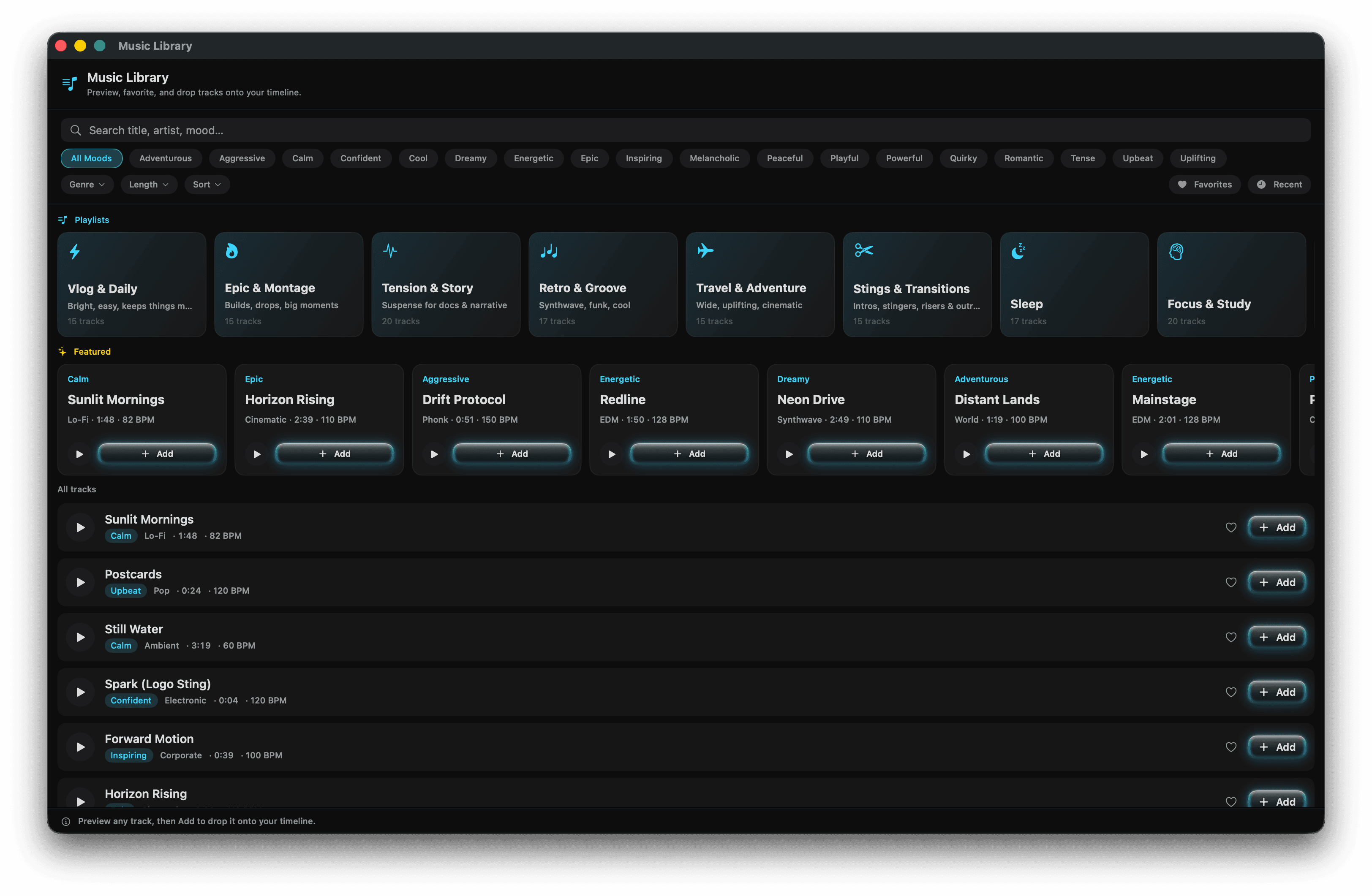
A music library, built in
Free for everyoneClutchCut now ships with its own library of 180+ original music tracks spanning more than 40 genres — lo-fi, cinematic, jazz, EDM, ambient, piano, and more. No more hunting for music before you can start editing.
- Browse by mood, genre, or lengthCurated playlists, mood filters, and instant preview — add a track to your timeline in one click.
- Free to use in your videosEvery track, for every user — no separate purchase, no attribution hoops.
- Original, not stockProduced by and for ClutchCut — including stings, risers, and transitions for edit points.
Remove watermarks from your footage
Got a clip with a logo or watermark stamped onto it? Draw a box over the mark and ClutchCut paints it out — and the box can follow a mark that moves or zooms across the frame.
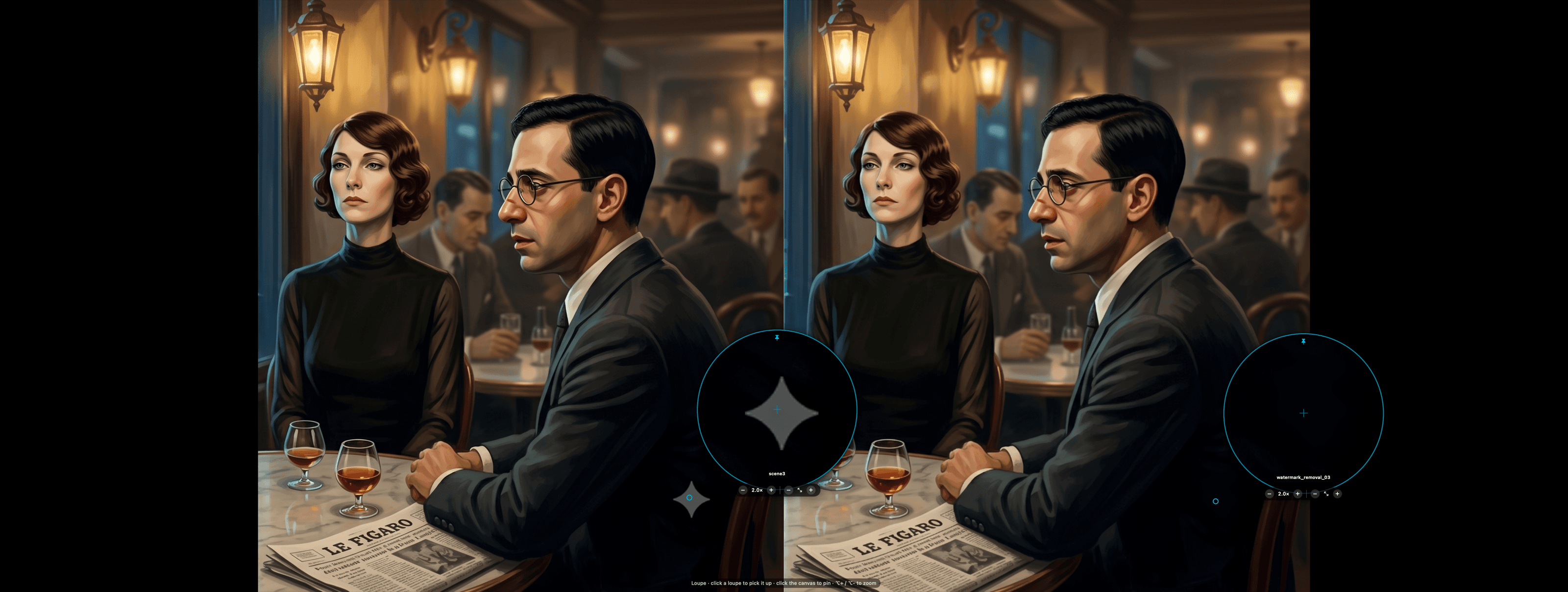
Inpaint, blur, or color-replace per box — verified side-by-side with the twin loupes.
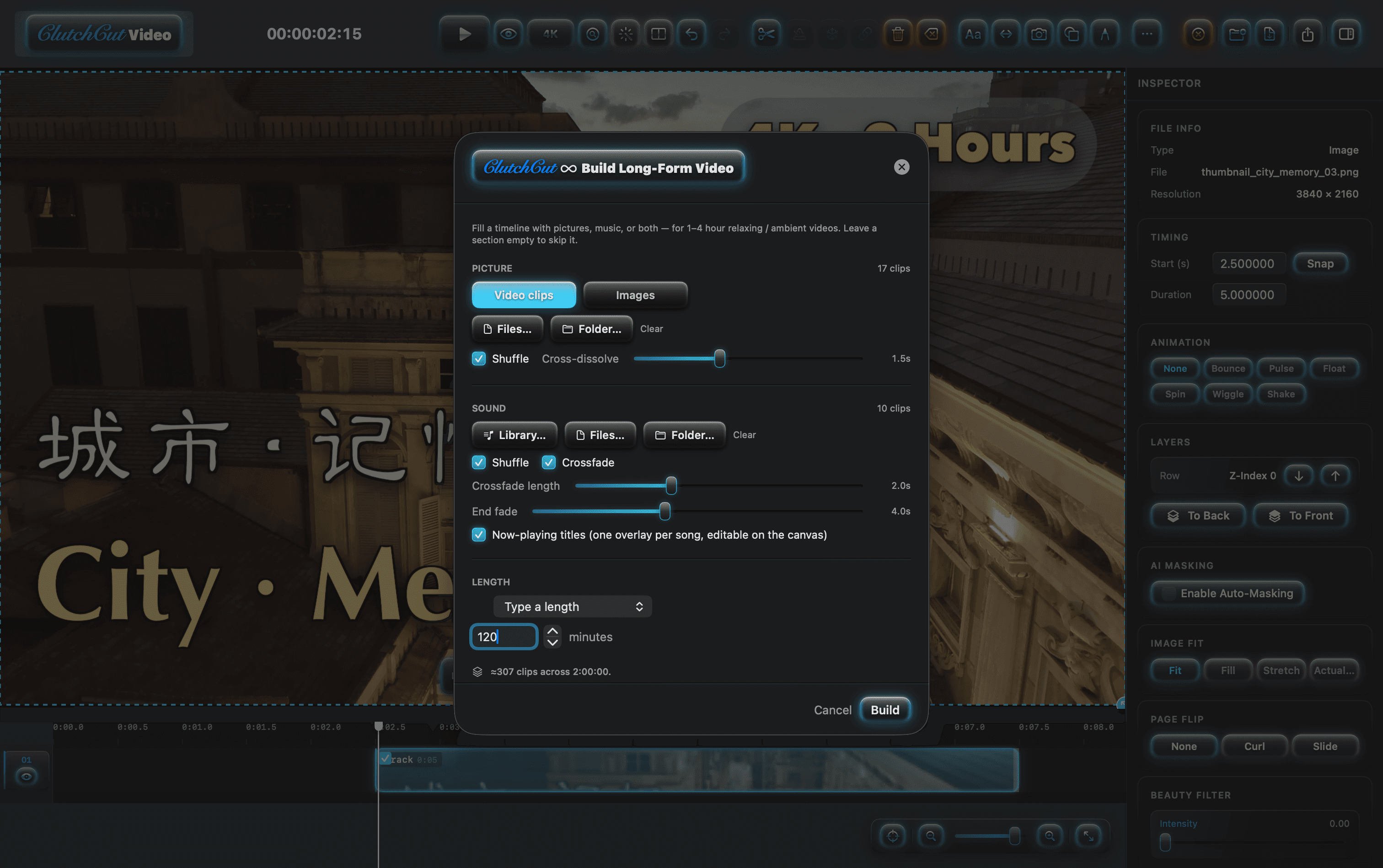
Build hours-long videos automatically
Turn a set of clips and music into a single, hours-long video — perfect for ambient, study, or background channels. Pick the pictures, pick the sound, type a length, and ClutchCut assembles and times the whole thing for you.
- Soundtrack from the Music LibraryPull hours of music straight from the built-in library — or your own folders — with shuffle and crossfades.
- Now-playing titlesOne editable overlay per song, added automatically — the polish long-form viewers expect.
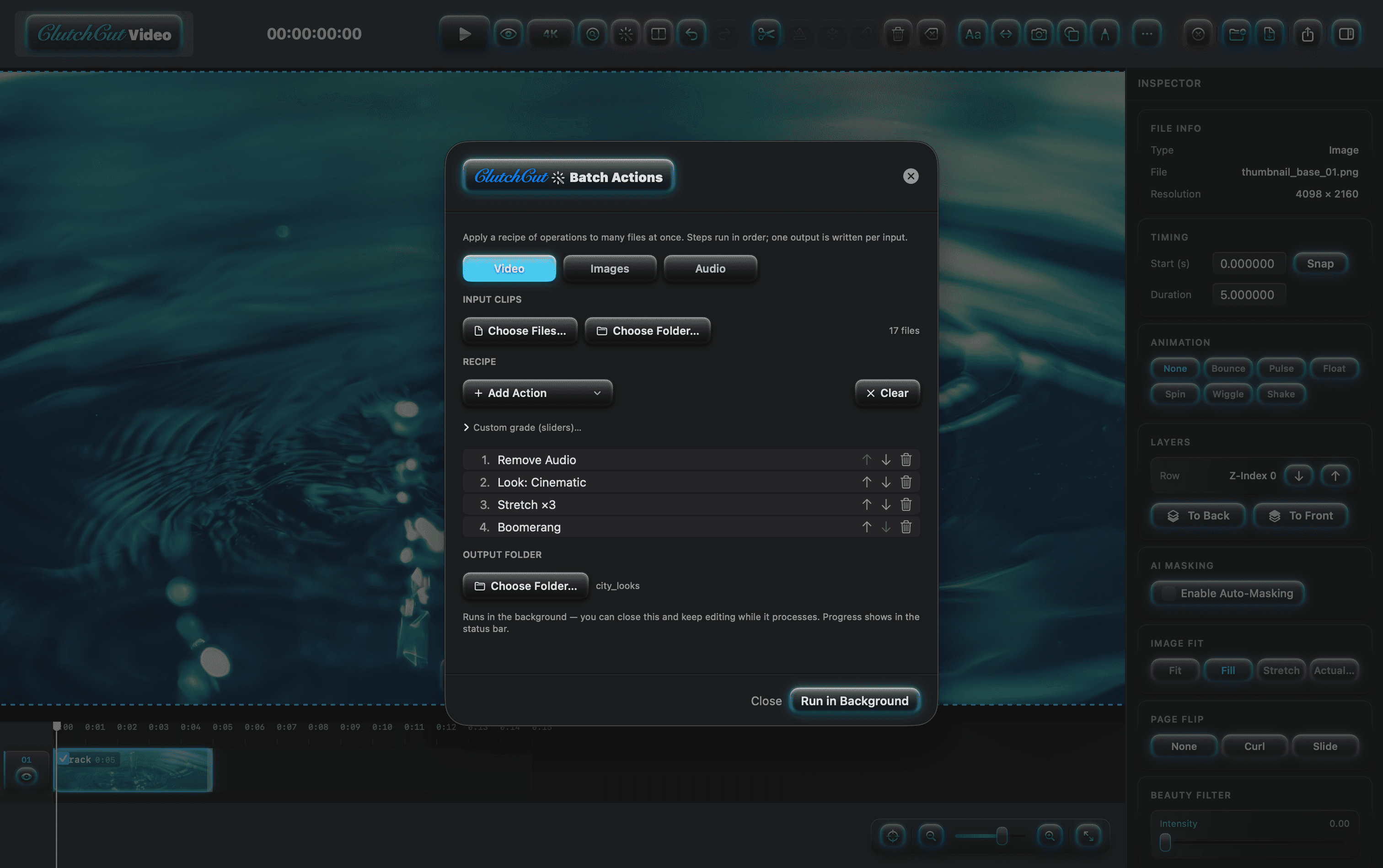
Edit many clips at once
Apply the same change — a color look, slow motion, reverse, and more — to a whole batch of clips in one step instead of one at a time. Build a recipe of operations and run it across video, images, or audio.
- Recipes, not repetitionChain steps in order — remove audio, apply a look, stretch, boomerang — one output per input file.
- Runs in the backgroundClose the dialog and keep editing while it processes — progress shows in the status bar.
Match colors between clips
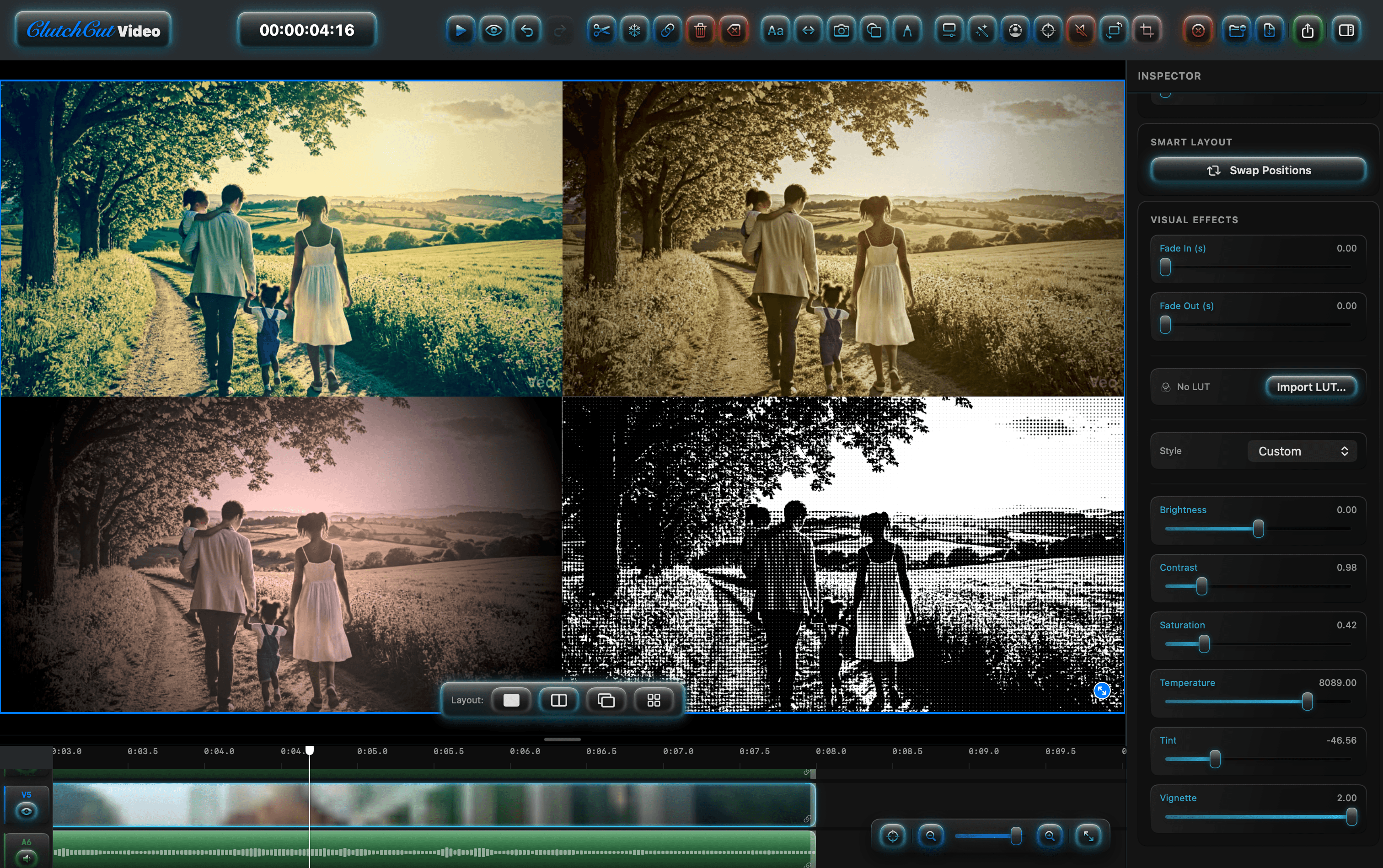
Make footage from different cameras, phones, or downloads look like one consistent shoot. Give ClutchCut a reference image with the look you want, and it grades your clips to match — one at a time, or a whole batch at once through Batch Actions.
Bring any footage up to 8K.
On-device AI super-resolution, an 8K-ready canvas, and pixel-perfect inspection tools — so old clips and AI-generated footage look future-proof.
AI Upscaling to 8K
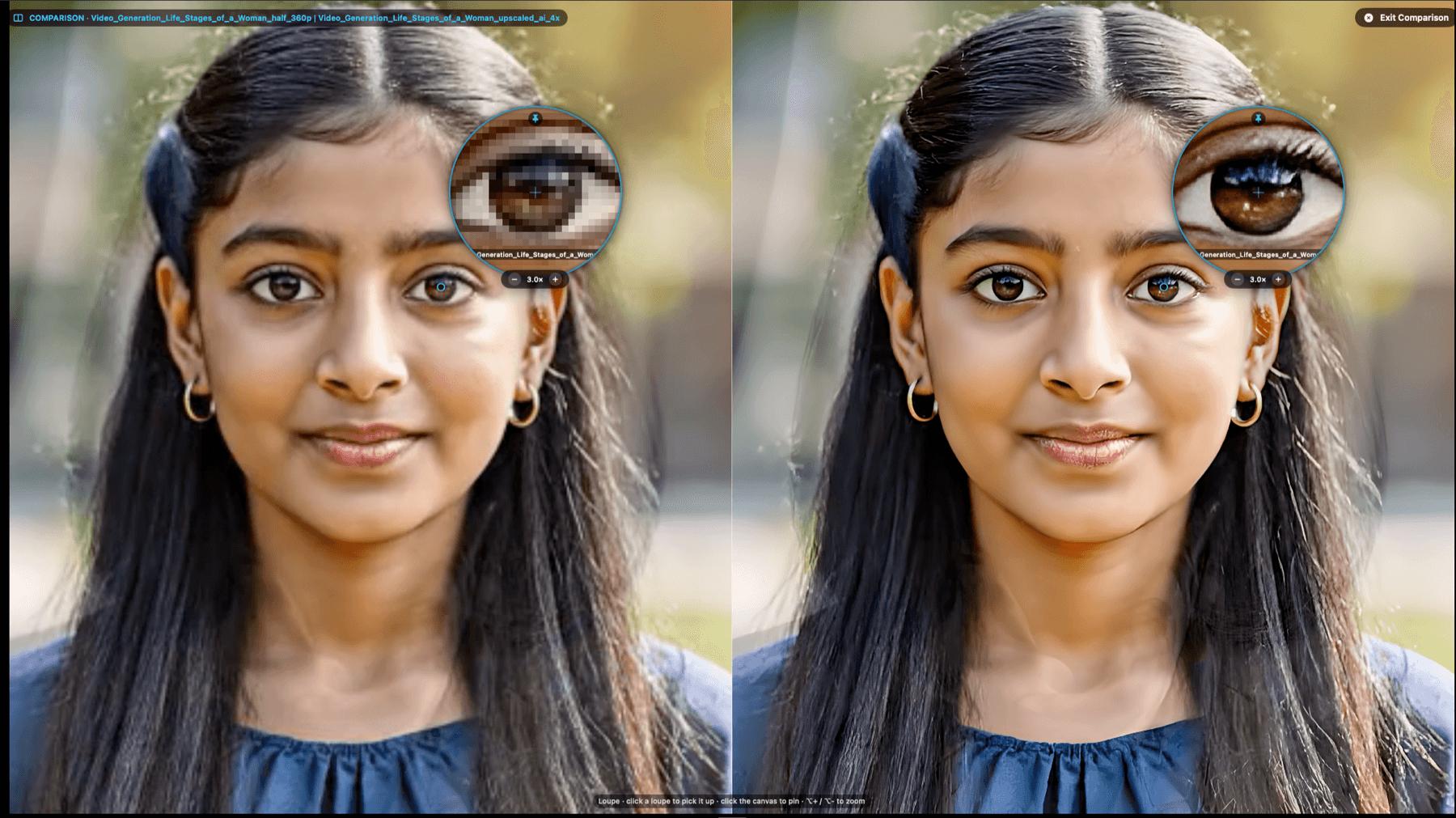
ProOn-device AI super-resolution multiplies your resolution by 2× or 4× — so a 1080p clip becomes a crisp 8K. It reconstructs real detail rather than a plain enlarge, and runs entirely on your Mac. In a hurry? The instant Fast engine cleans up edges in real time.
- 2× or 4× super-resolutionReal detail reconstruction, not interpolation — a 1080p source reaches all the way to 8K.
- Entirely on-deviceYour footage never leaves your Mac. No cloud, no subscription, no upload wait.
- Two enginesMax-quality AI for finals, or the instant Fast engine for quick, clean edges.
Edit & export in 8K
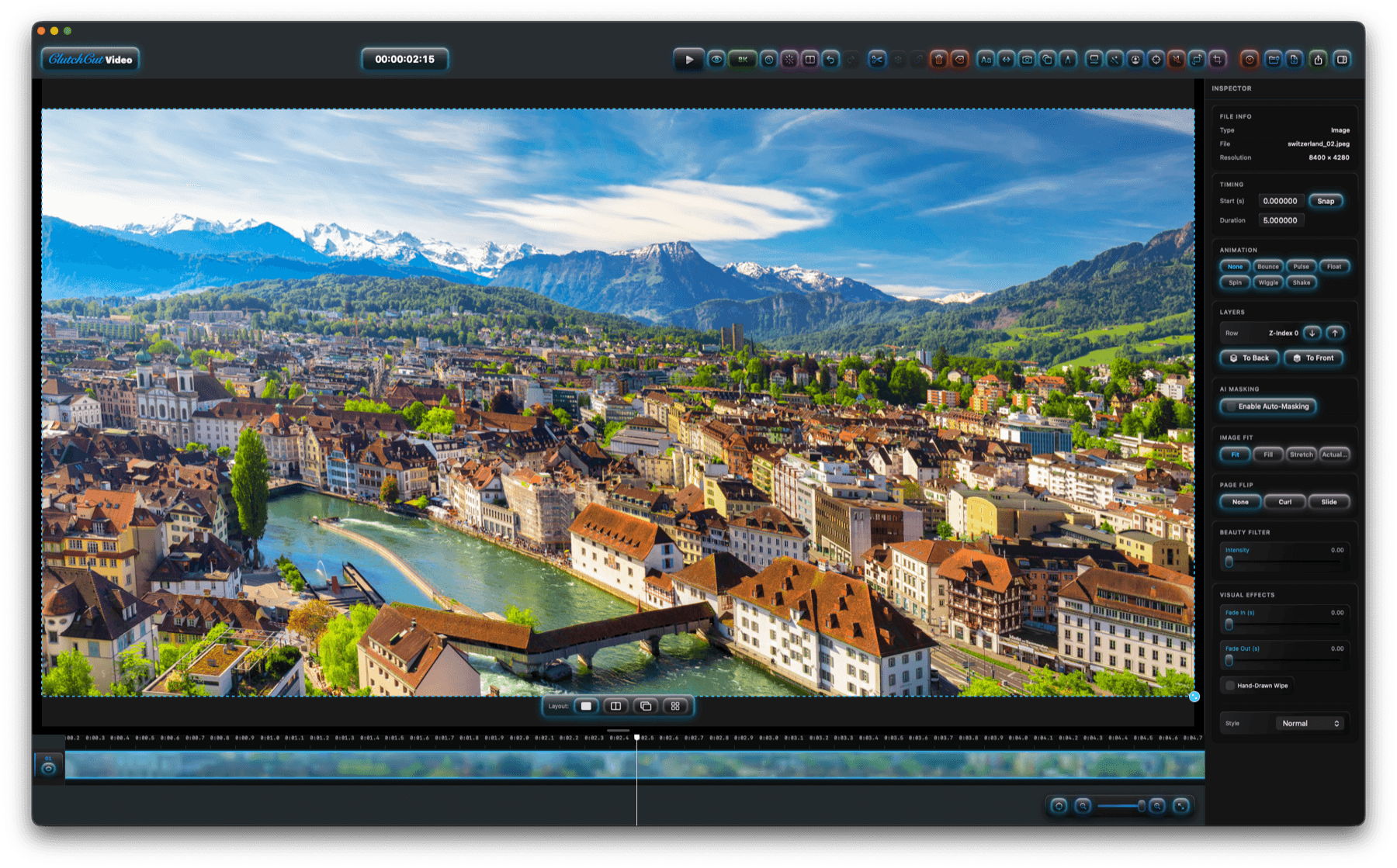
Set your project canvas anywhere up to 8K and export real 8K video (HEVC). Pair it with Upscaling to carry 1080p or 4K footage all the way to crisp, future-proof 8K — the whole pipeline stays native and Metal-accelerated.
- Canvas up to 8KChoose 1080p, 1440p, 4K, or 8K, with a live full-resolution preview as you edit.
- True 8K exportHEVC encode via VideoToolbox, so upscaled detail survives all the way to the final file.
Inspect every pixel.
See exactly what the AI recovered — before and after, down to the pixel.
Compare side-by-side
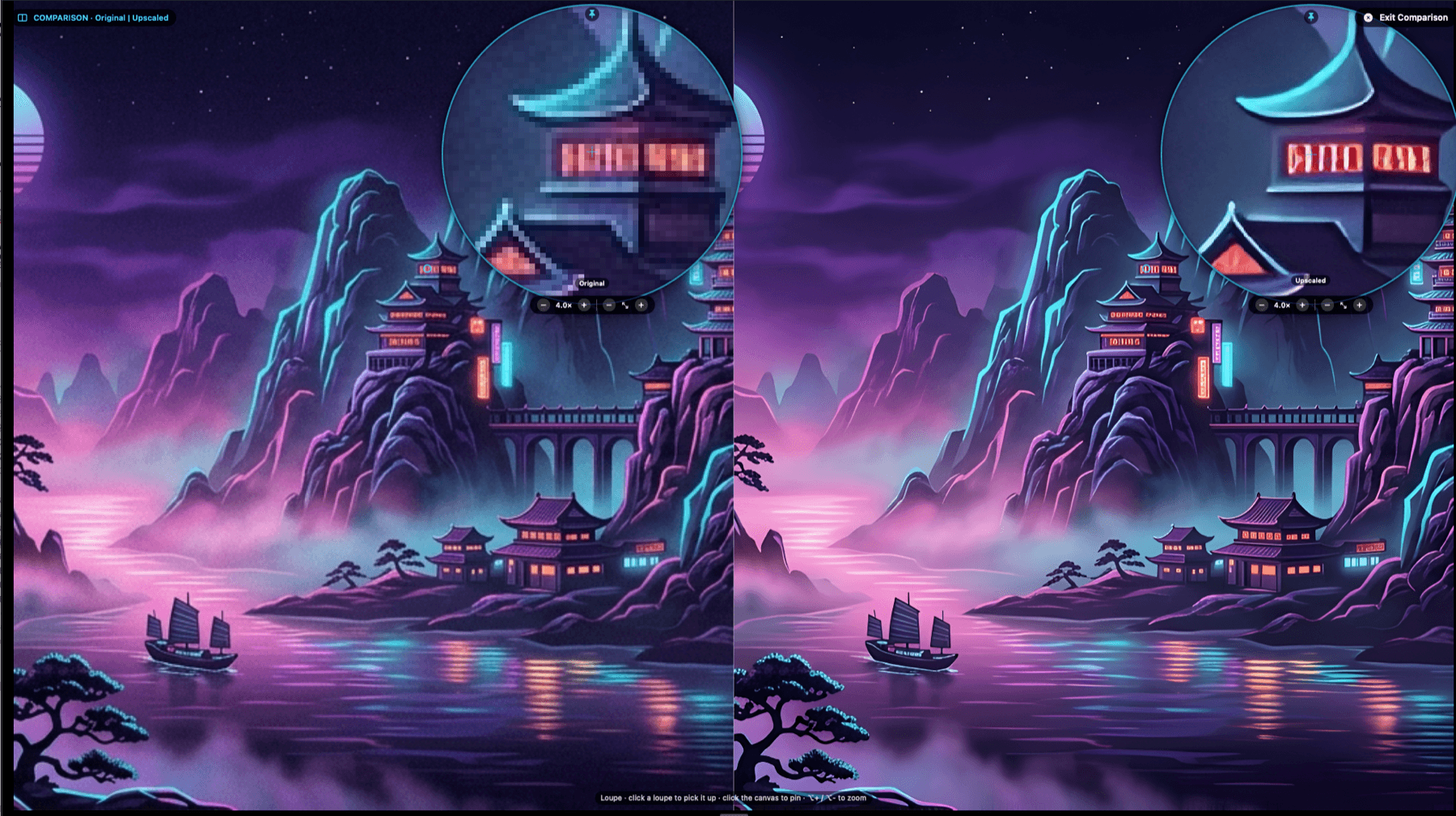
Drop any two clips or images side-by-side with twin magnifier loupes — the perfect before/after for judging an upscale or picking the better take.

Pixel-accurate Loupe
A magnifier that samples your clip's true source detail — pin it anywhere and zoom 2–16× to judge quality without ever leaving the app.
AI Story to Images
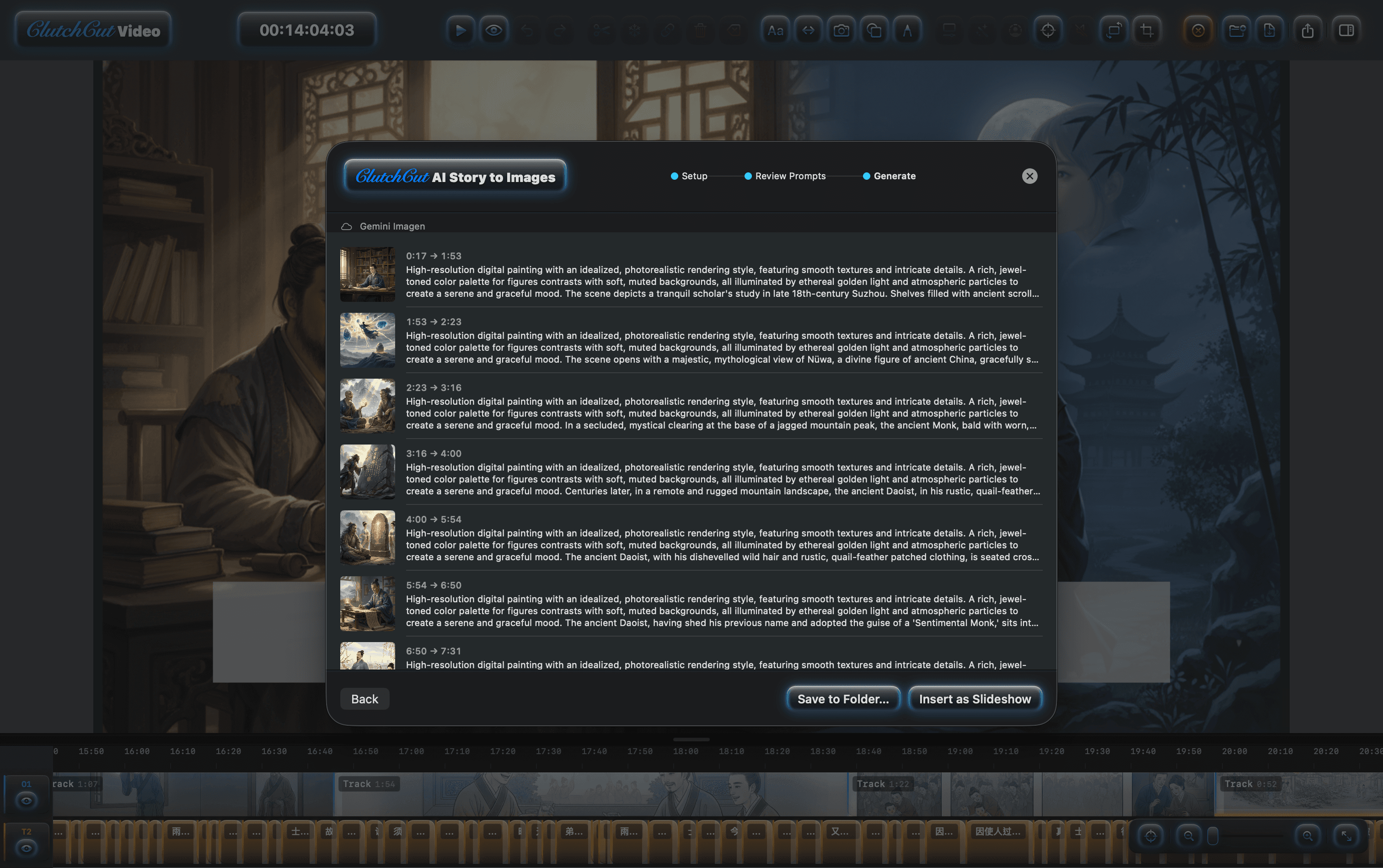
ProDirect downloadTurn an audio-only podcast into a real visual podcast — not just a static cover image stretched to the end. AI reads your script, splits it into scenes at natural story beats, and generates a unique image for each one. Every image lands on the timeline aligned with its narration, so the visuals follow the story itself.
- Script-Driven Scene GenerationImages are generated directly from your script content — every visual reflects what the narrator is saying at that moment.
- Intelligent Story SplittingAI reads the full narrative and breaks it into scenes at natural story boundaries — not fixed intervals. Each scene gets its own tailored image prompt.
- Auto-Aligned TimelineGenerated images are placed on the timeline in sync with the audio narration — each scene starts and ends exactly where the story does. Ken Burns and transitions are applied automatically.
- Character ConsistencyAI extracts a visual character reference from your full script before generating — ensuring consistent appearance across all scenes.
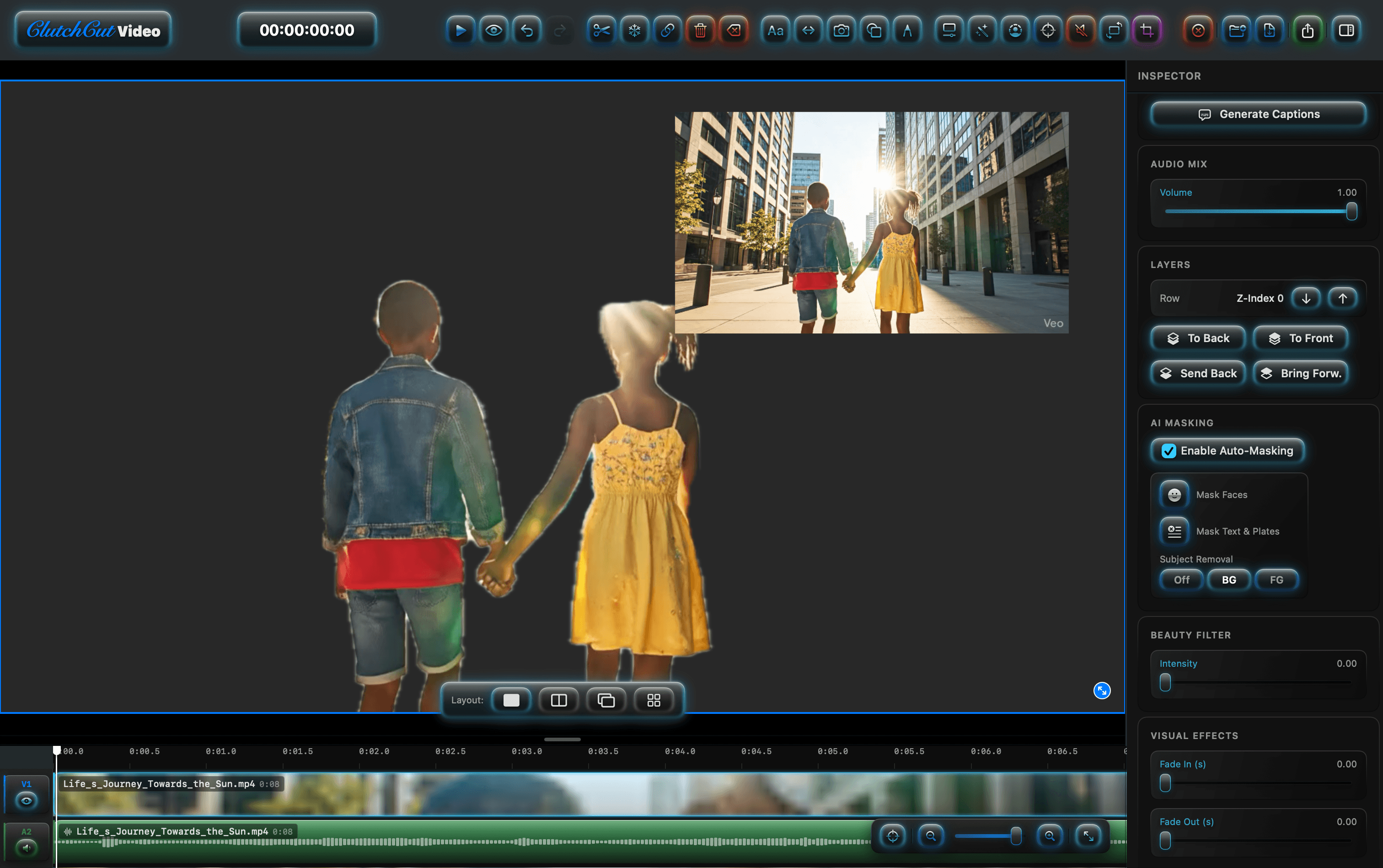
AI Auto-Masking
ProOne toggle isolates subjects, removes backgrounds, or masks faces — all powered by Apple Vision framework running entirely on-device. Layer subjects over new backgrounds, swap foreground and background, or blur faces for privacy. No green screen needed.
- One-Toggle MaskingClick the masking button on any video track. No rotoscoping, no keyframing — the mask follows the subject in real time.
- Layer & CompositeStack masked subjects over slideshows, effects, or other video layers. PiP, split-screen, and full-screen layouts all supported.
11 Cinematic Effects — All Free
Snow, rain, lightning, fireflies, ink wash, fog, and more — all rendered in real time on Apple Silicon. Add Ken Burns animations, 3D page-flip transitions, animated emojis, and freehand drawings directly on the canvas. No plugins, no subscriptions.
- Ken Burns & Page Flip7 Ken Burns presets for photos, 3D page curl and paper slide transitions for slideshows — with one-click batch apply across an entire lane.
- Smart Crop for VerticalAI saliency tracking dynamically crops any horizontal video to 9:16 vertical — keeping the subject centered automatically.
Choose your level.
Most of ClutchCut Video is free — Pro removes the watermark limit and unlocks AI-powered features.
Free
A full NLE with effects, smart crop, and YouTube publishing.
- ✓ Music Library — 180+ original tracks
- ✓ Multi-track timeline (video, audio, text, effects)
- ✓ Watermark removal & color matching
- ✓ Long-form builder & Batch Actions
- ✓ 11 visual effects, emojis & drawing tools
- ✓ Ken Burns & page-flip transitions
- ✓ AI Single Image generation *
- ✓ Smart Crop for vertical (9:16)
- ✓ 8K canvas & export · Compare & Loupe
- ✓ Fast upscaling (2× / 4×)
- ✓ Auto-Captions (first 5 min)
- !Watermark after 5:00
Pro Unlock
Launch price — regular price $69.99
- ★ No watermarks — any length
- ★ AI Upscaling to 8K (2× / 4×)
- ★ AI Story to Images (character consistency) *
- ★ AI Auto-Masking (face, BG/FG removal)
- ★ Auto-Captions — unlimited duration
- ★ Text-to-Speech narration
- ★ Professional export presets
- ✓ Everything in Free, plus:
* Direct download only — the Mac App Store version doesn't include this feature.
How ClutchCut Video compares.
Feature-by-feature against the industry leaders, as of August 2026. All trademarks belong to their respective owners.
| Feature | ClutchCut Video Pro $39.99 | Final Cut Pro $299.99 | DaVinci Resolve $295 | Premiere Pro $22.99/mo |
|---|---|---|---|---|
| Native Apple Silicon | ✓ | ✓ | ✓ | ~ |
| Multi-track NLE | ✓ | ✓ | ✓ | ✓ |
| Built-in original music library (free) | ✓ | ~ | — | — |
| Watermark removal (inpaint) | ✓ | — | ✓ | — |
| Automatic long-form builder | ✓ | — | — | — |
| AI Story to Images * | ★ | — | — | — |
| AI Auto-Masking | ★ | ✓ | ✓ | ✓ |
| AI Upscaling to 8K | ★ | — | ✓ | — |
| 8K timeline & export | ✓ | ✓ | ✓ | ✓ |
| Auto-Captions | ★ | ✓ | — | ✓ |
| Smart Crop (9:16) | ✓ | — | — | ✓ |
| 11 Built-In Visual Effects | ✓ | — | — | — |
| Ken Burns & Page Flip | ✓ | ~ | — | — |
| YouTube Direct Publish | ✓ | ✓ | ✓ | ✓ |
| Text-to-Speech | ★ | — | — | — |
| Freehand Drawing on Canvas | ✓ | ✓ | — | — |
| One-Time Purchase | ✓ | ✓ | ✓ | — |
| Price | $39.99 launch price | $299.99 | $295 | $275.88/yr |
★ = Pro feature · ✓ = included · ~ = partial · — = not available · * = direct download only. Comparison based on publicly available information as of August 2026. Features and pricing may change.
Full feature comparison
| Feature | Free | Pro |
|---|---|---|
| Music & Finishing — New in 3.0 | ||
| Music Library — 180+ original tracks, 40+ genres | ✓ | ✓ |
| Erase Watermark from clip (inpaint / blur / color-replace) | ✓ | ✓ |
| Match colors to a reference image (single or batch) | ✓ | ✓ |
| Build Long-Form Video (automatic hours-long assembly) | ✓ | ✓ |
| Batch Actions (recipe of edits across many files) | ✓ | ✓ |
| Timeline & Editing | ||
| Multi-track NLE (video, audio, text, image, effect, emoji) | ✓ | ✓ |
| Transitions (Cross-Dissolve, Dip to Black) | ✓ | ✓ |
| Text tracks with font, size, color, and animation | ✓ | ✓ |
| Shape tracks & freehand drawing | ✓ | ✓ |
| Undo / Redo | ✓ | ✓ |
| Visual Effects & Animation | ||
| 11 cinematic effects (Snow, Rain, Lightning, Fireflies, Ink Wash, ...) | ✓ | ✓ |
| 12 emoji overlays with 6 animations | ✓ | ✓ |
| Ken Burns animation (7 presets) | ✓ | ✓ |
| Page Flip transitions (3D Curl & Paper Slide) | ✓ | ✓ |
| Slideshow auto-import with transitions | ✓ | ✓ |
| Resolution & Upscaling | ||
| Project canvas up to 8K (1080p / 1440p / 4K / 8K) | ✓ | ✓ |
| True 8K export (HEVC) | ✓ | ✓ |
| Compare mode (side-by-side + twin loupes) | ✓ | ✓ |
| Pixel-accurate Loupe (2–16×) | ✓ | ✓ |
| Fast upscaling (2× / 4×, MetalFX) | ✓ | ✓ |
| AI Upscaling to 8K (2× / 4× super-resolution) | — | ★ |
| AI Features | ||
| AI Single Image generation * | ✓ | ✓ |
| Smart Crop for vertical content (9:16) | ✓ | ✓ |
| Auto-Captions (first 5 minutes) | ✓ | ✓ |
| AI Story to Images (character consistency) * | — | ★ |
| Auto-Captions (unlimited duration) | — | ★ |
| AI Auto-Masking (face, BG/FG removal) | — | ★ |
| Text-to-Speech audio generation | — | ★ |
| Export & Publishing | ||
| MP4 / M4A export (unlimited length) | ✓ | ✓ |
| YouTube direct publish | ✓ | ✓ |
| Subtitle import (.srt, .vtt, .tts.json) | ✓ | ✓ |
| No watermark (first 5 minutes) | ✓ | ✓ |
| No watermark (any length) | — | ★ |
* Direct download only — the Mac App Store version doesn't include this feature.
How to activate your Pro license
- 1
Purchase Pro above. You will be shown your CCV-... license key immediately after payment.
- 2
Open ClutchCut Video on your Mac and click the ClutchCut wordmark in the toolbar.
- 3
Paste your key and click Activate Key. Pro features unlock instantly — no restart required.
Your key works on any Mac you personally own. Contact support if you need help.
Private by design.
Your footage is yours. ClutchCut Video processes everything locally — even the AI.
Who edits with ClutchCut Video?
A timeline tuned for the creators who actually ship.
Capture, edit, master.
Video is the editor at the heart of the suite. Shadow feeds it captures; Audio polishes the mix.
- macOS 15.6 Sequoia or later
- Apple Silicon (M1 or newer) recommended
- ~500 MB free disk for the app
- Extra storage for projects & cache