Don't record everything.
Capture the moment.
ClutchCut Shadow is a professional replay buffer for macOS. It runs silently in the background, letting you save the last 600 seconds of any window or screen with a single hotkey.
Now records you, too.
Webcam capture, editor-friendly timing, and exact framing — still free, still entirely on your Mac.
Webcam Recording
Record your camera alongside your screen. Shadow writes it to a separate file next to the screen recording, so both stay independently playable and you lay out the picture-in-picture however you like later. A draggable preview shows your framing as you record, and your microphone stays on the screen recording — the webcam’s own mic is never duplicated.
Standard mode. Clutch-mode webcam is coming.
Constant Frame Rate
Screen recording normally captures a frame only when the screen changes — great for file size, awkward in some editors. Choose a constant 24, 30 or 60 fps for timing that drops straight into any timeline. Variable stays the default for the smallest files.
Exact Aspect Ratios
Lock the capture area to 16:9, 9:16, 1:1 or 4:3 and frame a perfect YouTube or Shorts recording at capture time — no cropping, no quality loss afterwards. No display is 16:9, so a full-screen grab always letterboxed on upload.
Quality & Control
A Balanced / High / Maximum setting for recordings with a lot of motion, a global Pause / Resume hotkey for when what you’re recording is full-screen, and Settings now tells you exactly what will be recorded — down to the pixel.
Also in 2.0: long recordings no longer stop early when Shadow loses focus, and recordings of non-16:9 displays are no longer stretched.
Retroactive "Clutch" Capture
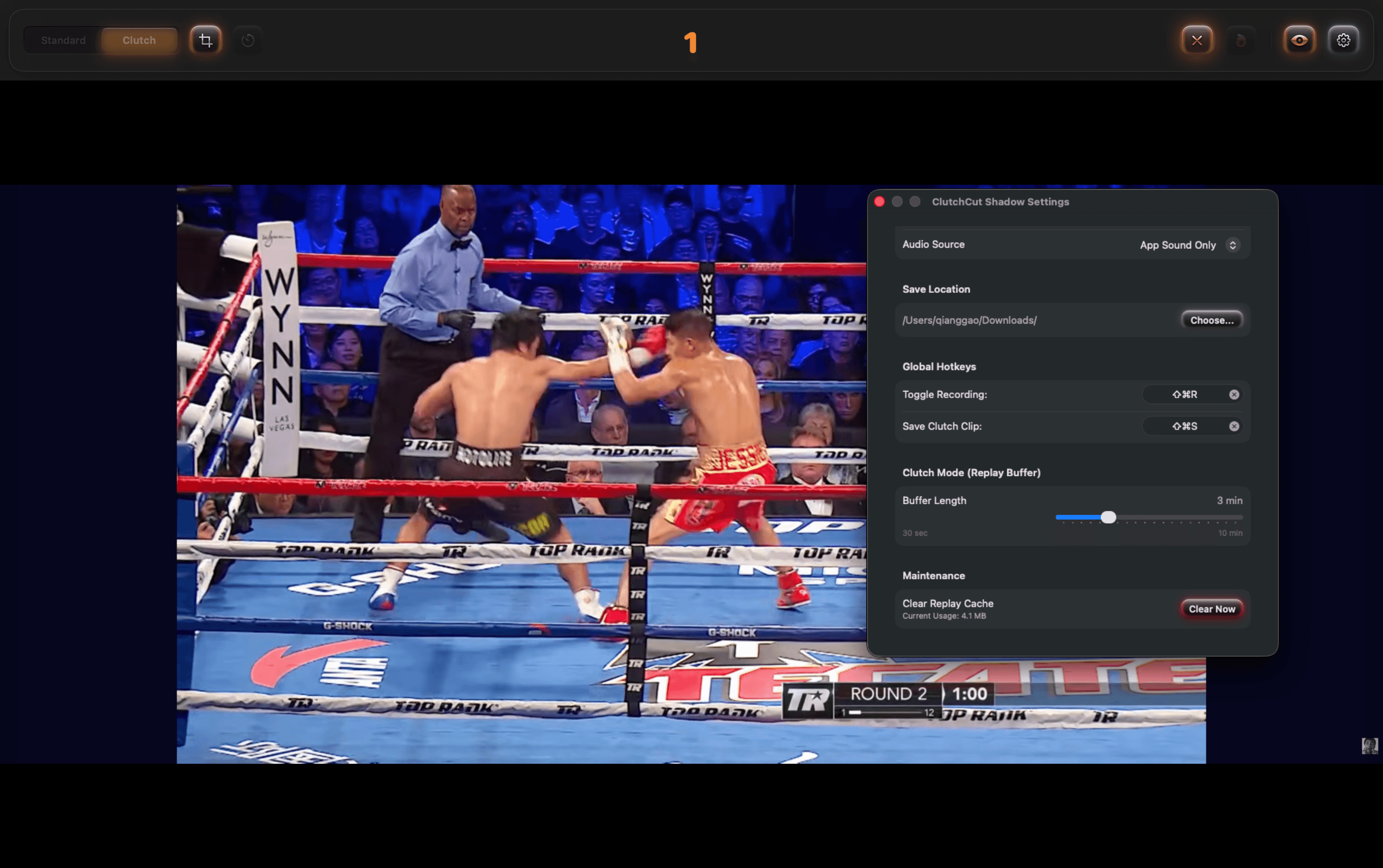
Stop filling your hard drive with hours of raw footage. With Shadow's Replay Buffer, you decide to save *after* the action happens. Whether it's a game-winning play or a sudden bug, just hit the Clutch hotkey to save the last few minutes instantly.
- Rolling BufferConfigure from 30 seconds to 10 minutes of retroactive recording.
- Smart StitchingSeamlessly merges buffer chunks into a single, high-quality MP4 file.
Schedule & Auto-Stop
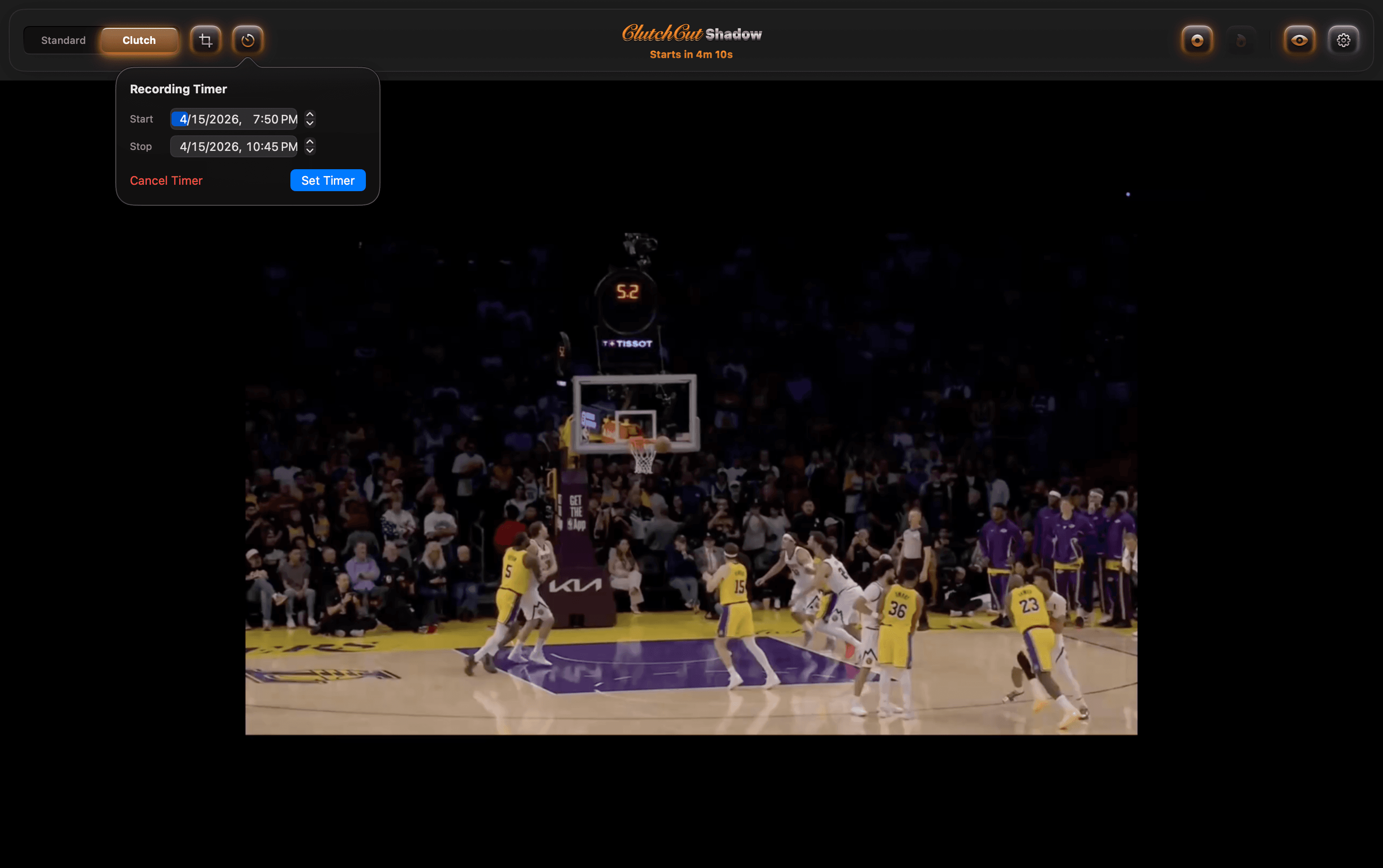
Set it and forget it. Schedule Shadow to start recording at a specific time, and set a stop time so your session ends cleanly even if you walk away. Perfect for long streams, meetings, or unattended captures.
- Scheduled StartQueue a session to begin at any future time — wake up to a finished recording of last night's keynote or match.
- Auto-Stop TimerShadow stops itself on the dot, so runaway sessions never eat your disk.
Dual-Track Audio Capture
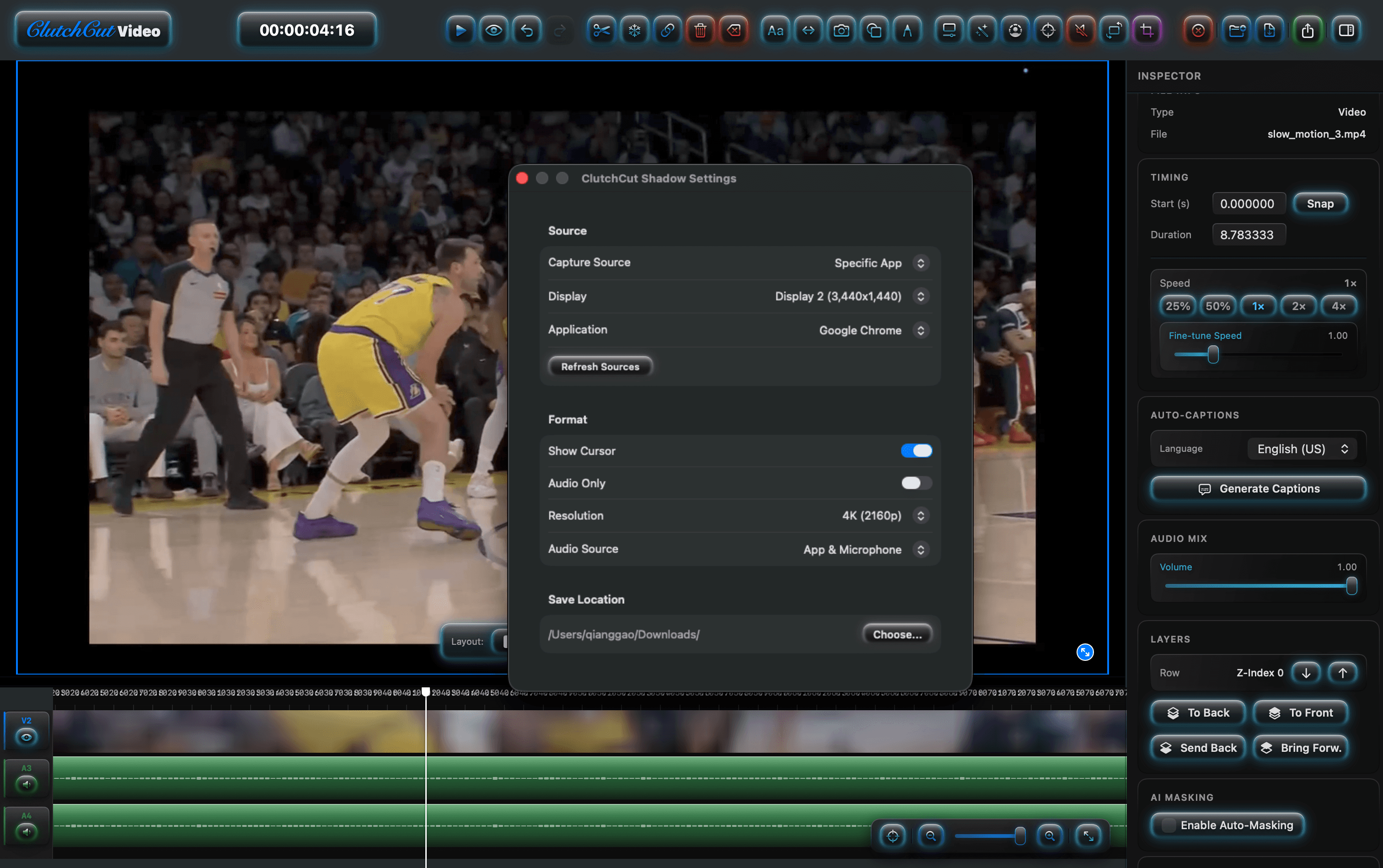
Don't muddy your system sound and your voice onto one track. Shadow records app audio and your microphone on separate, labeled tracks — ready for independent mixing, ducking, or noise cleanup in post.
- Split Tracks, One FileApp Audio and Microphone are written to separate tracks inside a single MP4. No sync drift, no post-production re-muxing.
- Four Audio ModesNone, App Sound Only, Microphone Only, or Dual-Track — switched from Settings to match any workflow.
Free, Fully Featured.
No buffer caps. No resolution limits. No watermarks. Shadow is our gift to the Mac community.
$0
Every feature, every time. No trial period, no paid tier.
- ★ Retroactive Clutch capture (30 sec – 10 min rolling buffer)
- ★ Scheduled start & auto-stop timer
- ★ Dual-track audio (App + Mic on separate tracks)
- ★ Capture display, specific app, specific window, or region
- ★ Global hotkeys (Toggle Recording, Save Clutch Clip)
- ★ Floating HUD — invisible to the recording itself
- ★ Native ScreenCaptureKit pipeline (4K, Apple Silicon)
- ★ Session handoff to ClutchCut Video
- ★ Auto-updates via Sparkle
Requires macOS 15.6 or later. Optimized for M1/M2/M3 chips.
How ClutchCut Shadow compares.
Feature-by-feature against the most popular macOS screen recorders, as of April 2026. All trademarks belong to their respective owners.
| Feature | ClutchCut Shadow Free | QuickTime Free | OBS Studio Free | ScreenFlow $169 | Screen Studio $89 |
|---|---|---|---|---|---|
| Native Apple Silicon (ScreenCaptureKit) | ✓ | ✓ | ~ | ✓ | ✓ |
| Retroactive Replay Buffer | ★ | — | ✓ | — | — |
| Scheduled Start & Auto-Stop | ★ | — | — | — | — |
| Dual-Track Audio (App + Mic separated) | ✓ | — | ✓ | ✓ | — |
| System Audio Capture (no extension needed) | ✓ | — | ✓ | ✓ | ✓ |
| Capture: Display / App / Window / Region | ✓ | ~ | ✓ | ✓ | ✓ |
| Global Hotkeys | ✓ | — | ✓ | ✓ | ✓ |
| Floating HUD (excluded from recording) | ✓ | — | ~ | ~ | ✓ |
| 4K Recording | ✓ | ✓ | ✓ | ✓ | ✓ |
| Handoff to Editor | ✓ | — | — | ✓ | ~ |
| Price | Free | Free | Free | $169 | $89 |
★ = signature feature · ✓ = supported · ~ = partial / with setup · — = not available
Private by design.
Shadow is built for capturing sensitive moments — gameplay, meetings, bug repros. Your recording stays on your Mac.
Built for people who miss the moment.
Shadow keeps a rolling buffer running so you never have to hit record before something happens.
Capture, edit, master.
Shadow handles capture. Hand the file off to Video for editing, or Audio for voice and music production.
- macOS 15.6 Sequoia or later
- Apple Silicon (M1 or newer) recommended
- ~200 MB free disk for the app
- Disk space for buffers scales with length & resolution