Mix like a pro.
Sound like a master.
ClutchCut Audio is a professional multi-track DAW built natively for macOS. Record, mix, and master with on-device AI — no subscriptions, no cloud, no compromises.
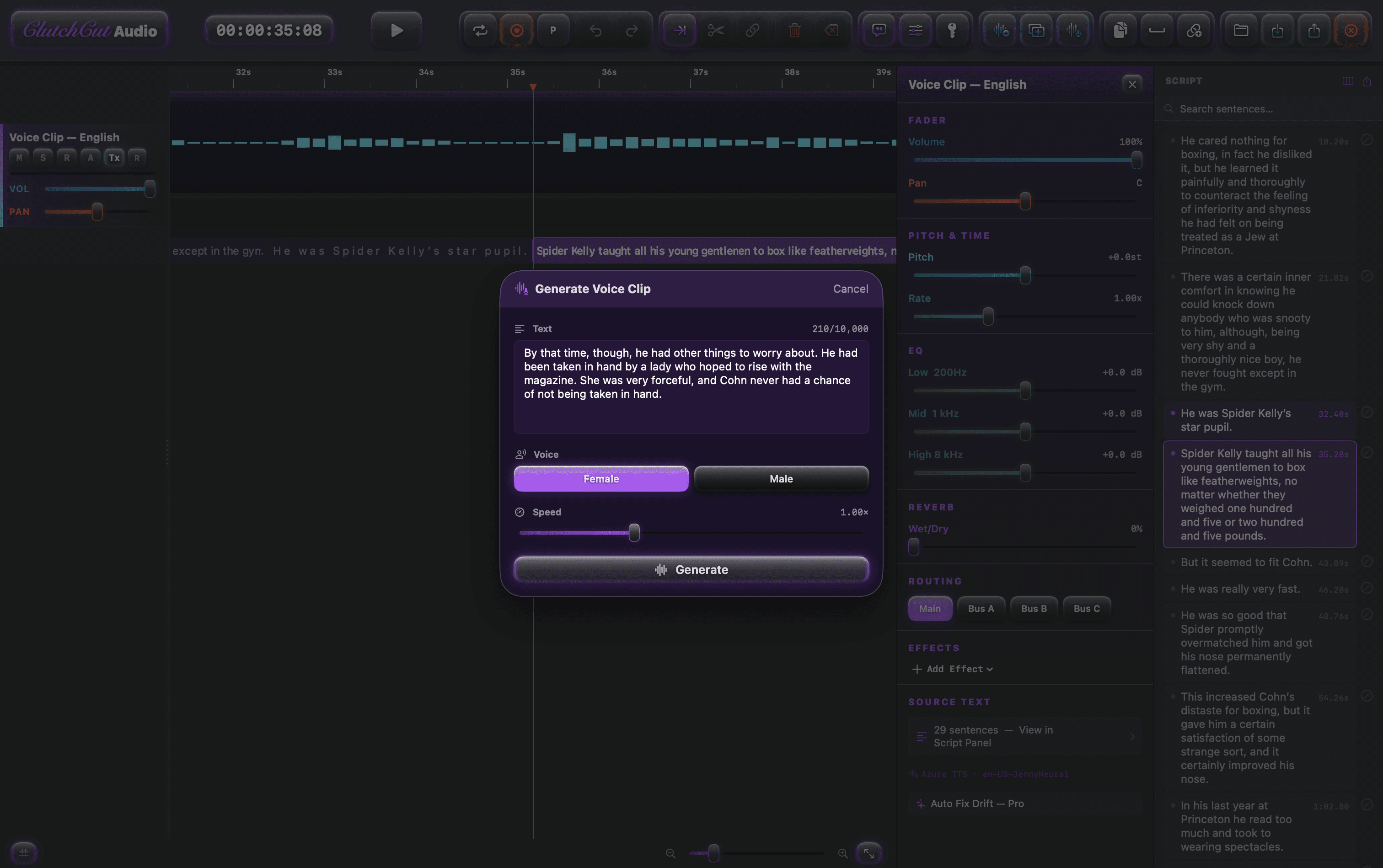
Built-In Voice Studio
Type your script and hear it back in seconds. Kokoro runs high-quality voices entirely on your Mac — no internet, no API keys, no limits. Fix any mispronunciation in place without re-recording the entire track. With Pro, auto-fix timing drift across long narrations and batch-convert entire books to audio.
- On-Device TTS, Zero NetworkKokoro CoreML runs English, Japanese, Chinese, and more voices entirely on-device. Male and female variants included.
- Script Panel & Pronunciation FixClick any sentence to seek. Right-click to fix pronunciation — the corrected segment is spliced in at sample-frame precision.
AI Stem Separation
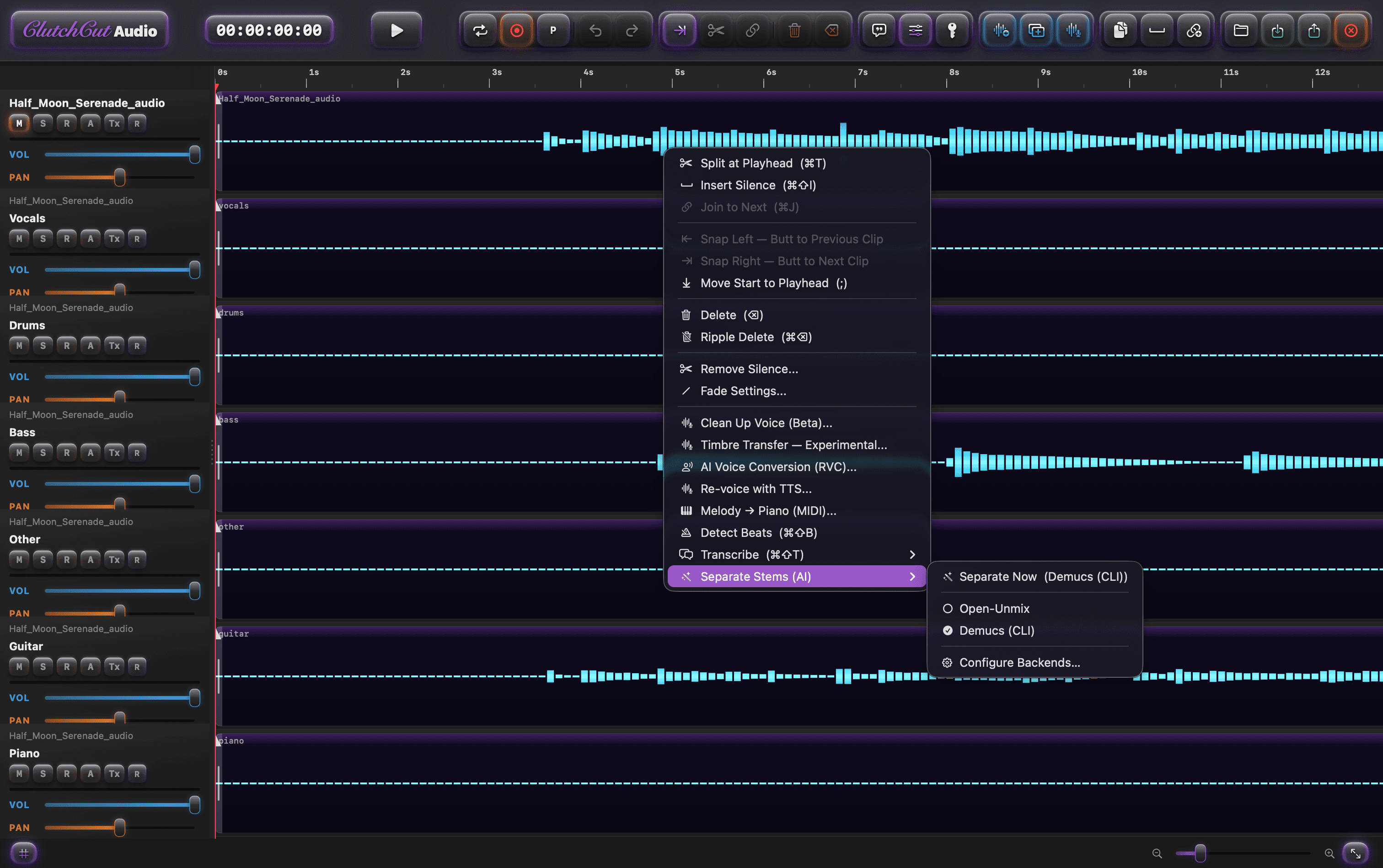
ProRight-click any clip and separate it into vocals, drums, bass, guitar, piano, and other stems in seconds. Powered by Demucs and CoreML running entirely on your hardware — your audio never leaves your Mac. Each stem lands as its own track, leveled and ready to remix.
- 6-Stem PrecisionDemucs htdemucs_6s separates vocals, drums, bass, guitar, piano, and other. CoreML backends run on-device with no setup.
- Audio → Video HandoffExport mastered audio with a .tts.json sidecar — import into ClutchCut Video and subtitles auto-populate the timeline.
Auto-Duck & Mastering
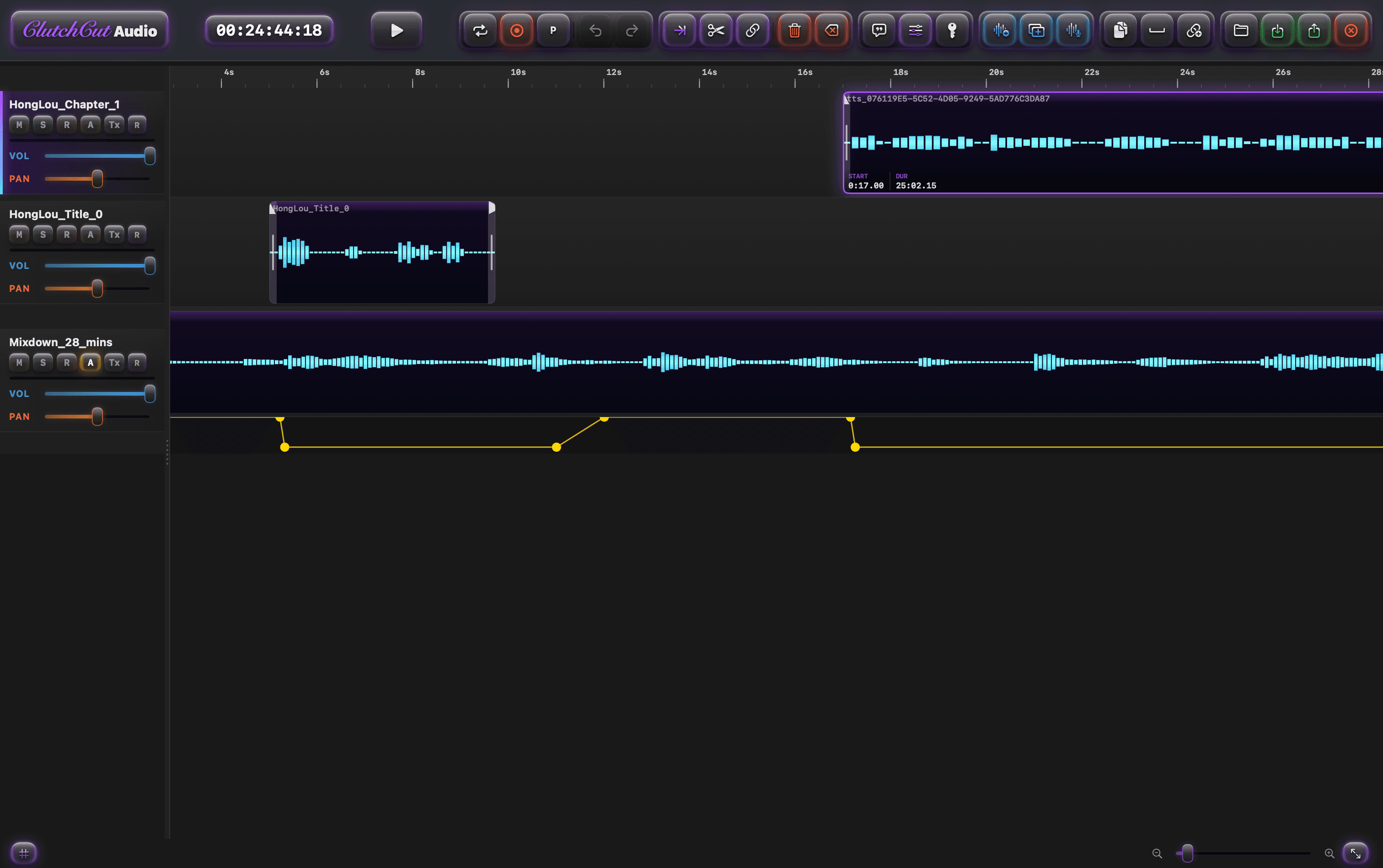
ProSelect your voice tracks, click Auto-Duck, and background music automatically dips when someone speaks — with attack, release, and threshold controls. Then run LUFS-targeted mastering to hit any broadcast standard (Apple Podcasts, Spotify, YouTube) with one click.
- Multi-Trigger DuckingSelect multiple voice tracks as triggers. The merged RMS envelope writes a single unified volume automation lane — no manual keyframing.
- LUFS-Targeted Auto-GainAnalyze your full mix, pick a target (e.g. -16 LUFS for Apple Podcasts), and the mastering chain applies the exact gain with a -1 dB true peak limiter.
Start free. Go further with Pro.
ClutchCut Audio is a complete DAW you can download and use for free — no trial period, no watermarks, no expiry. Pro unlocks advanced AI features and export formats for serious creators.
$0
The full DAW experience, no strings attached.
- ✓ Multi-track recording & editing
- ✓ Kokoro on-device TTS (Male & Female voices)
- ✓ Auto-silence removal & beat detection
- ✓ 3-band EQ, Reverb, Delay per track
- ✓ AUv3 plugin hosting & bus routing
- ✓ Piano Roll, MIDI & loop recording
- ✓ AI Stem Separation (Demucs 2-stem)
- ✓ WAV export — unlimited, no watermarks
$39.99 one-time
Launch price — regular price $69.99
Everything in Free, plus the heavy-duty AI tools.
- ★ AI Stem Separation (Demucs 6-stem)
- ★ Auto-Ducking & LUFS Mastering
- ★ Auto Fix Drift (transcript re-alignment)
- ★ Batch TTS (convert docs to audio)
- ★ M4A & MP3 export formats
- ★ Per-stem export (Separate Tracks)
- ★ RAVE Timbre Transfer (experimental)
How ClutchCut Audio compares.
Feature-by-feature against the industry leaders, as of April 2026. All trademarks belong to their respective owners.
| Feature | ClutchCut Audio Pro $39.99 | Logic Pro $199.99 | Pro Tools $29.99/mo | GarageBand Free |
|---|---|---|---|---|
| Native Apple Silicon | ✓ | ✓ | ~ | ✓ |
| Multi-track DAW | ✓ | ✓ | ✓ | ✓ |
| Built-In TTS (on-device) | ✓ | — | — | — |
| AI Stem Separation | ★ | ✓ | — | — |
| Auto-Ducking | ★ | ✓ | ✓ | — |
| LUFS Mastering | ★ | ✓ | ✓ | — |
| AUv3 Plugin Hosting | ✓ | ✓ | ✓ | ✓ |
| Bus / Send Routing | ✓ | ✓ | ✓ | — |
| Piano Roll & MIDI | ✓ | ✓ | ✓ | ✓ |
| Podcast Mode | ✓ | — | — | — |
| Script Panel & Pronunciation Fix | ✓ | — | — | — |
| Batch TTS (docs to audio) | ★ | — | — | — |
| One-Time Purchase | ✓ | ✓ | — | ✓ |
| Price | $39.99 launch price | $199.99 | $359.88/yr | Free |
★ = Pro feature · ✓ = included · ~ = partial · — = not available. Comparison based on publicly available information as of April 2026. Features and pricing may change.
Full feature comparison
| Feature | Free | Pro |
|---|---|---|
| Recording & Editing | ||
| Multi-track timeline (trim, split, move, join, ripple) | ✓ | ✓ |
| Audio recording (mic input) | ✓ | ✓ |
| Loop recording with takes | ✓ | ✓ |
| Volume automation lanes | ✓ | ✓ |
| Auto-silence removal | ✓ | ✓ |
| Full undo / redo | ✓ | ✓ |
| Mixing & Effects | ||
| 3-band EQ, Reverb, Delay per track | ✓ | ✓ |
| AUv3 third-party plugin hosting | ✓ | ✓ |
| Bus / Send routing (3 aux buses) | ✓ | ✓ |
| Flex Time / pitch correction per track | ✓ | ✓ |
| Auto-Ducking (multi-trigger) | — | ★ |
| LUFS-targeted mastering chain | — | ★ |
| TTS & Voice | ||
| Kokoro on-device TTS (Male & Female, unlimited) | ✓ | ✓ |
| Script panel with click-to-seek | ✓ | ✓ |
| Pronunciation fix (re-synthesis splice) | ✓ | ✓ |
| Auto Fix Drift (transcript re-alignment) | — | ★ |
| Batch TTS (convert .txt / .md / .pdf to audio) | — | ★ |
| AI & Analysis | ||
| Beat detection & named markers | ✓ | ✓ |
| Speech transcription (SFSpeechRecognizer) | ✓ | ✓ |
| AI Stem Separation (Demucs 2-stem) | ✓ | ✓ |
| AI Stem Separation (Demucs 6-stem + CoreML) | — | ★ |
| AI Voice Isolation (cleanup) | — | ★ |
| RAVE Timbre Transfer (experimental) | — | ★ |
| MIDI & Instruments | ||
| Piano Roll editor | ✓ | ✓ |
| MIDI file import | ✓ | ✓ |
| Built-in sampler (AVAudioUnitSampler) | ✓ | ✓ |
| Export | ||
| WAV mixdown (unlimited, no watermarks) | ✓ | ✓ |
| M4A export | — | ★ |
| MP3 export | — | ★ |
| Per-stem export (Separate Tracks) | — | ★ |
How to activate your Pro license
- 1
Purchase Pro above. You will be shown your CCA-... license key immediately after payment.
- 2
Open ClutchCut Audio on your Mac and click the ClutchCut wordmark in the toolbar.
- 3
Paste your key and click Activate Key. Pro features unlock instantly — no restart required.
Your key works on any Mac you personally own. Contact support if you need help.
Private by design.
Your voice, your script, your mix. Everything stays on your Mac.
Who mixes with ClutchCut Audio?
A DAW that meets creators where they work.
Capture, edit, master.
Audio is the studio end of the suite. Pair it with Video for picture lock, or Shadow for raw capture.
- macOS 15.6 Sequoia or later
- Apple Silicon (M1 or newer) recommended
- ~400 MB free disk for the app + Kokoro voices
- Core Audio-compatible input for recording